Measure traffic speeds. Demand safer streets.

Open-source speed monitoring for neighbourhood streets

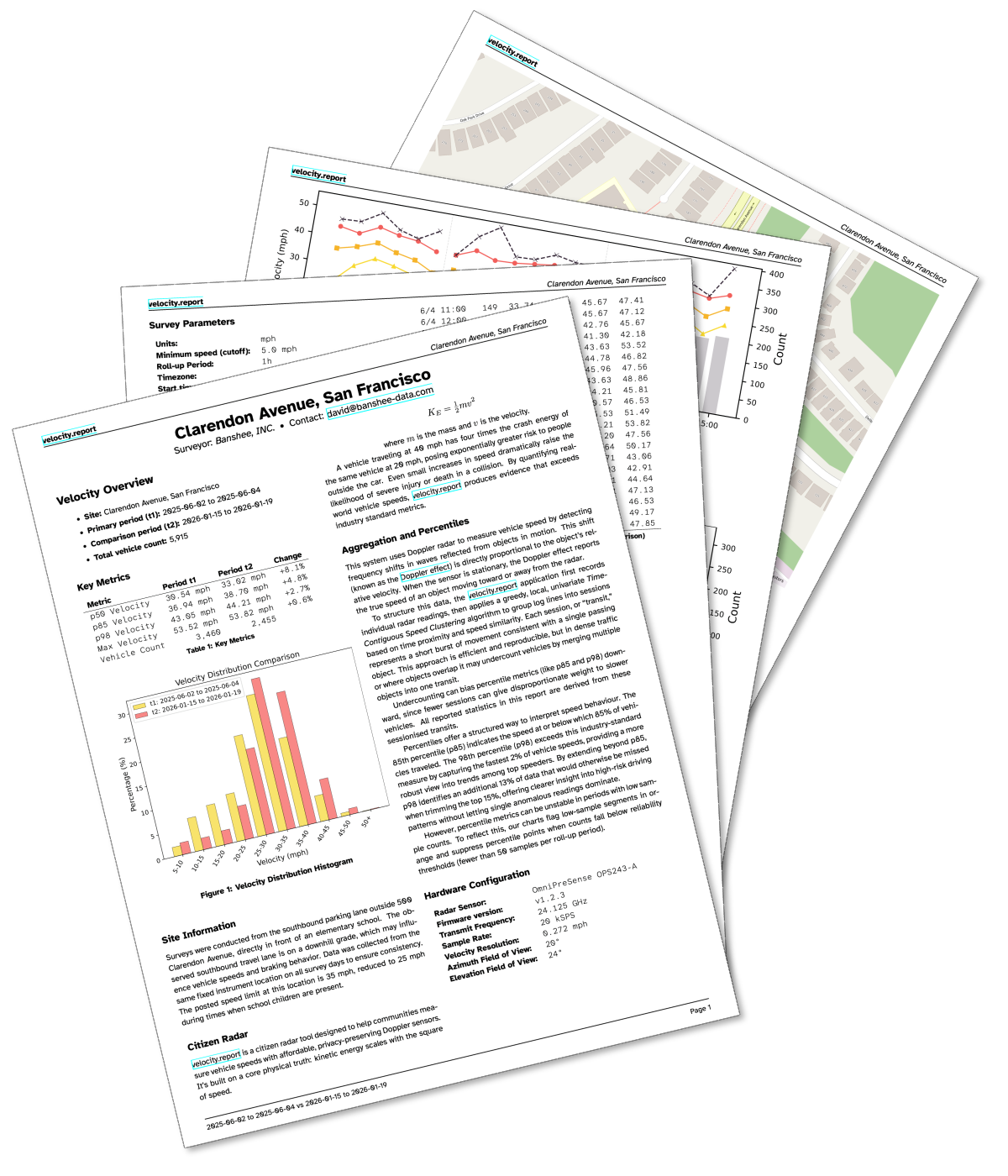
Collect the evidence yourself. velocity.report is free, open-source software that turns a Raspberry Pi and a radar sensor into a speed monitor. Download the Pi image, point it at your street, and get a PDF you can take to City Hall: no cameras, no licence plates, no cloud accounts.

Before and after: Measure before. Measure after. The numbers tell you whether the changes worked.
Privacy by design: No cameras, no faces, no licence plates. Speed data only.
Open source: Audit every line, run it on your own Pi, and keep the data on your own hardware, not someone else's cloud.

Common Questions

What is this?

An open-source traffic speed monitor. A radar sensor plugged into a Raspberry Pi records how fast vehicles pass, stores the data locally, and generates a professional PDF report: speed distributions, hourly patterns, and percentile breakdowns. No cloud, no cameras, no surveillance.

Who is this for?

You, probably. If you live on a street where traffic moves faster than it should, this is the tool. Parent associations, community groups, neighbourhood watch, residents with a safety concern and nowhere to take it. If you've ever stood at a council meeting and been told to come back with evidence, here's how you get it.

What does it measure?

Vehicle speeds. A radar sensor records how fast vehicles pass and stores the data on a Raspberry Pi. No faces, no licence plates, no images of any kind.

Where does the data go?

Nowhere. It stays on your device, in a local database. There is no cloud account, no upload step, nothing that sends data anywhere without your knowledge. The only way data leaves your network is when you hand (or email) someone the finished PDF.

How do I get started?

Follow the setup guide. You need a Raspberry Pi and an OmniPreSense radar sensor. By the end, you'll have a working speed monitor and a PDF report that holds up in a council meeting.

Release notes →
Raspberry Pi image
v0.5.1-pre6
sha256:c7b3adbb22c92eab0183fb4b90724c296dc0dc2ea7e7a7b2d62e773eb4e86fd1

Requires Raspberry Pi 3+

Raspberry Pi Imager custom repo

Install Raspberry Pi Imager, then run this in a terminal. The --repo flag works on all platforms; the path to the binary varies by OS.

cd "/Applications/Raspberry Pi Imager.app/Contents/MacOS/" && ./rpi-imager --repo https://velocity.report/rpi.json
Release notes →
Server Linux ARM64
v0.5.0
sha256:1e96dc4ef660f35dcbde98d3b98a7f645e3419d95f3036b029080621321faf5e

Requires Linux ARM64

Server macOS ARM64
v0.5.0
sha256:b263e8a108c58e71f608cb2727fde2b2fd5c3f40e38353b9ef8c2d59d1b094d4

Requires macOS 15+

Research

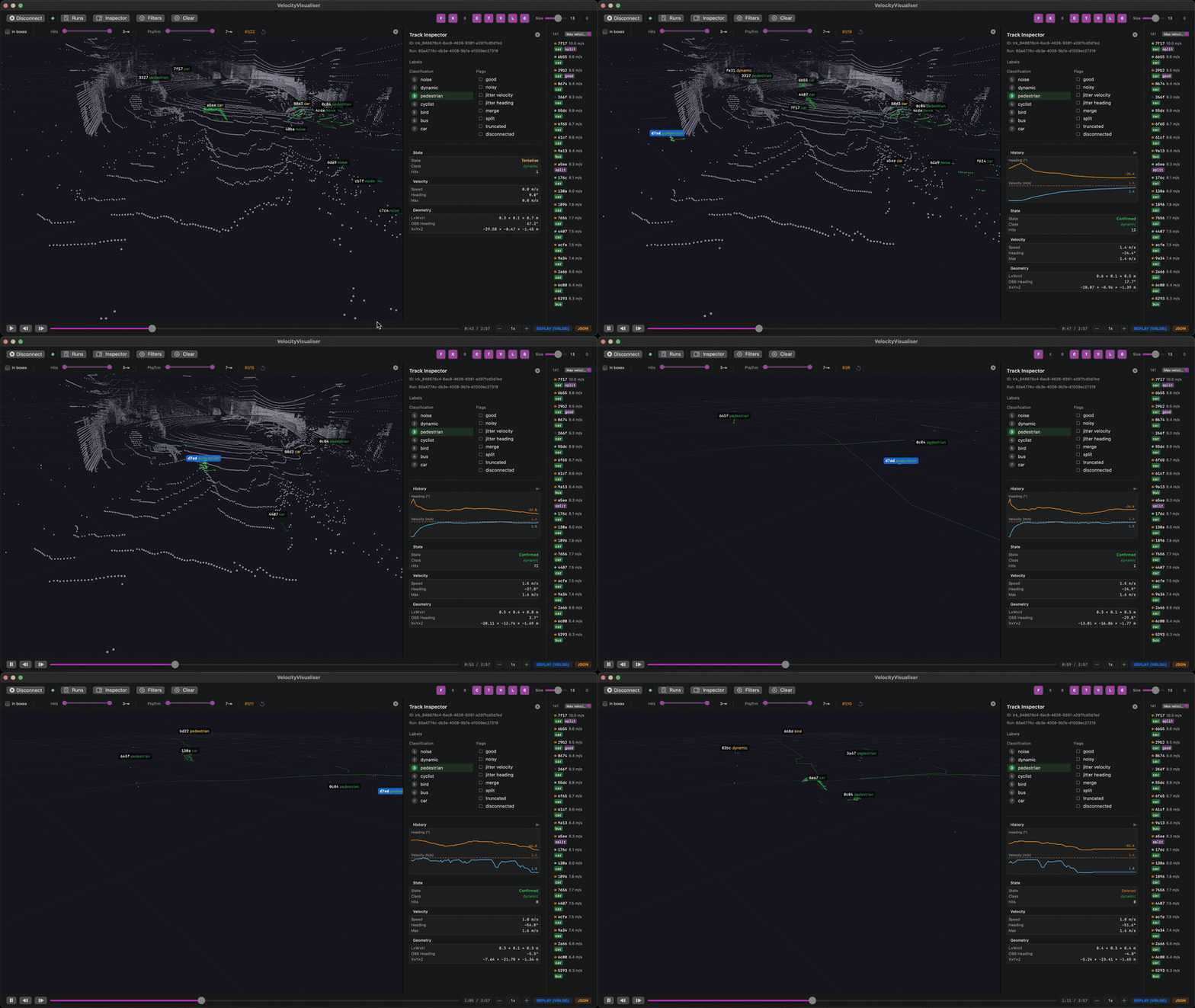
The radar setup gives you speed data and a PDF. LiDAR is the next level: see the full scene, identify road users by type, and see how they move around each other. It can answer questions the radar cannot, like how close cars pass cyclists, or how many drivers roll through the intersection (and how fast).

This is research-stage work, and contributions are welcome. The pipeline is open source, the maths are documented, and there's a list of open questions we'd love to hear your thoughts on.

VelocityVisualiser.app: live LiDAR point clouds, tracked objects, and motion trails

Download for macOS
v0.5.0
sha256:2136a5468b0db70f13812d2de8d72f6d65f85486f420fa1d332508f4d967e93d

Requires macOS 15 · Apple Silicon

Making the Case
at City Hall

"The goal is fewer crashes, fewer injuries, and zero fatalities. If the speeds don't drop, the work can't stop."
David Dolphin, SFMTA Board Meeting, Jan 2026